Parse and investigate beside Elasticsearch
Test VRL parsers and run investigations against Elasticsearch or OpenSearch.
git clone https://github.com/AmdaaRaijen/weirflow-engine.git
cd weirflow-engine
docker compose -f deploy/docker-compose.yml --profile ui upThen open localhost:3000. OpenSearch and sample logs come with it.
<38>1 2026-10-28T09:15:02Z web-1.example.com sshd 4242 - - Failed password for alice from 203.0.113.7 port 51234 ssh2. = parse_syslog!(.message)
f = parse_regex!(.message, r'for (?P<user>\S+) from (?P<ip>\S+)')
.user = f.user
.src_ip = f.ip
del(.message)| appname | "sshd" |
|---|---|
| facility | "auth" |
| hostname | "web-1.example.com" |
| procid | 4242 |
| severity | "info" |
| src_ip | "203.0.113.7" |
| timestamp | "2026-10-28T09:15:02Z" |
| user | "alice" |
| version | 1 |
One alarm, the whole attack chain
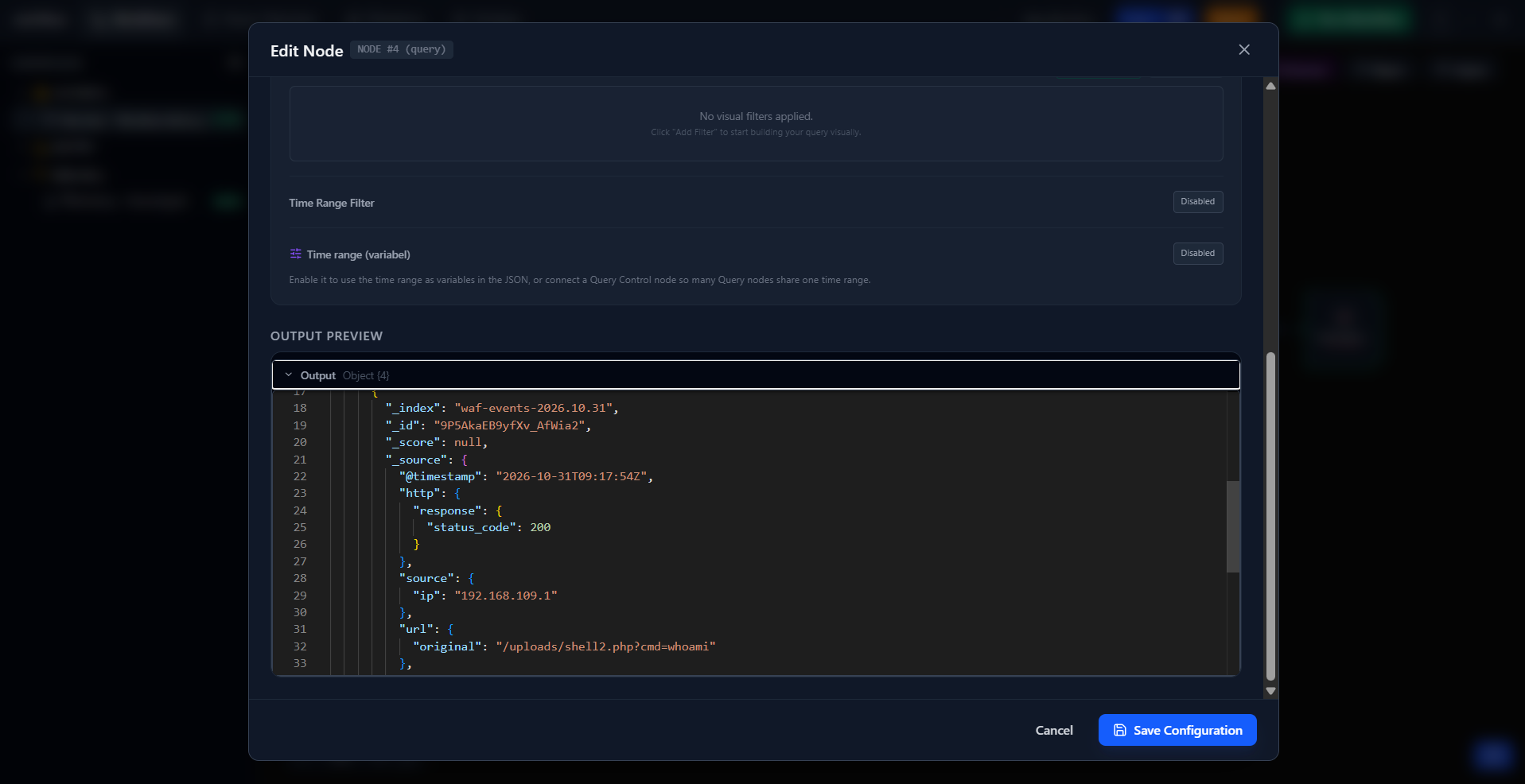
A workflow enriches the alarm you already have with what your other sources saw. A parsing step can tag each one with its MITRE ATT&CK id.
- Your existing alarm reaches the workflow, for example by webhook: whoami run by www-data (T1033). A decision checks its user and directory.
- Before it, the WAF holds the exploit request (T1190) and the host a web shell (T1505.003). A query searches each index in a window around the alarm.
- After it, the host shows credential reads (T1552.001) and the auth log an SSH hop to db-1 (T1021.004).
- The workflow joins the answers into one investigation tree, or into a verdict written by the AI analysis node, and sends the enriched alarm on.
Watch the attack unfold
A Telemetry node joins what your searches found into a process tree, in time order. It lists the gaps where a search found nothing.
Four screens, one engine
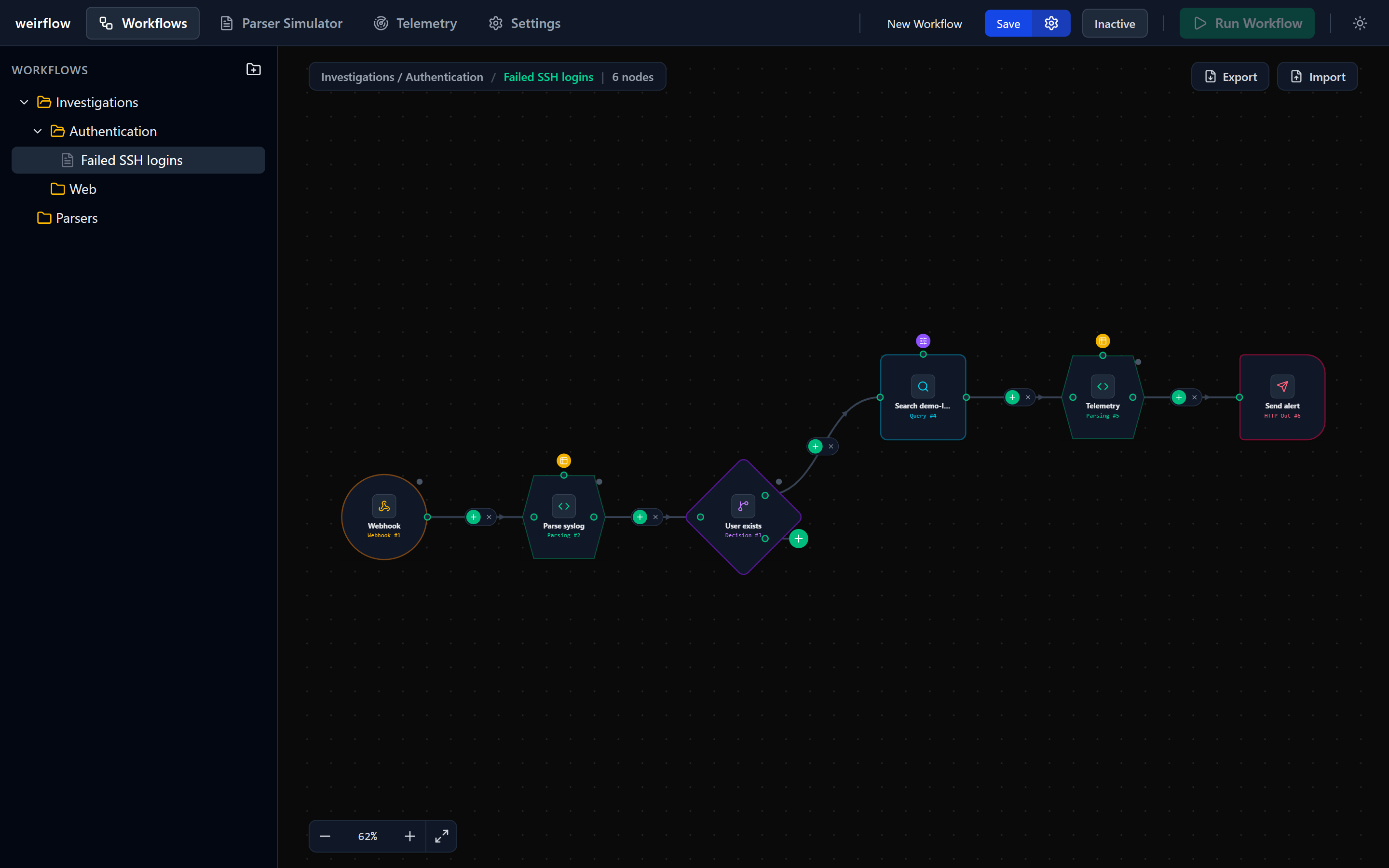
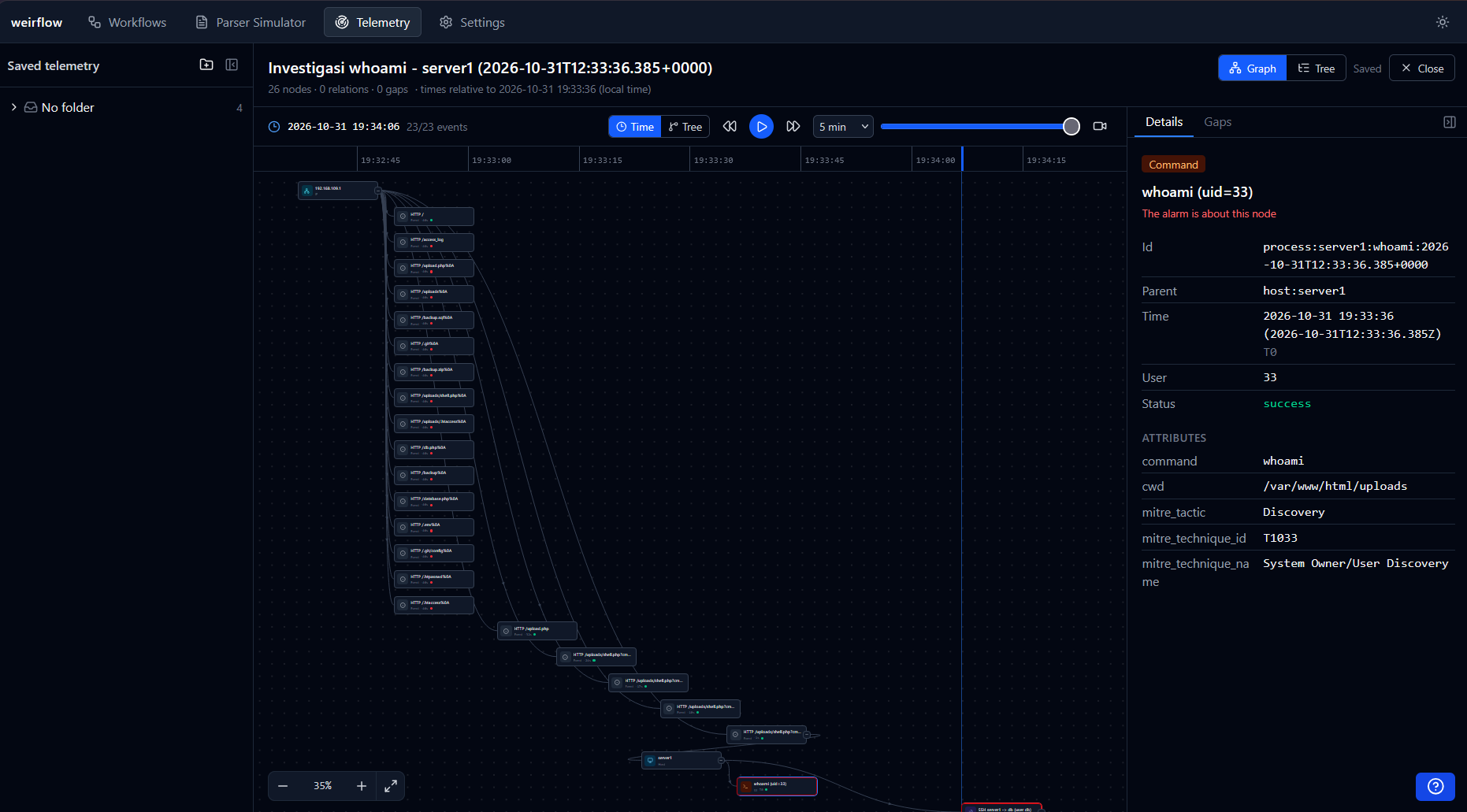
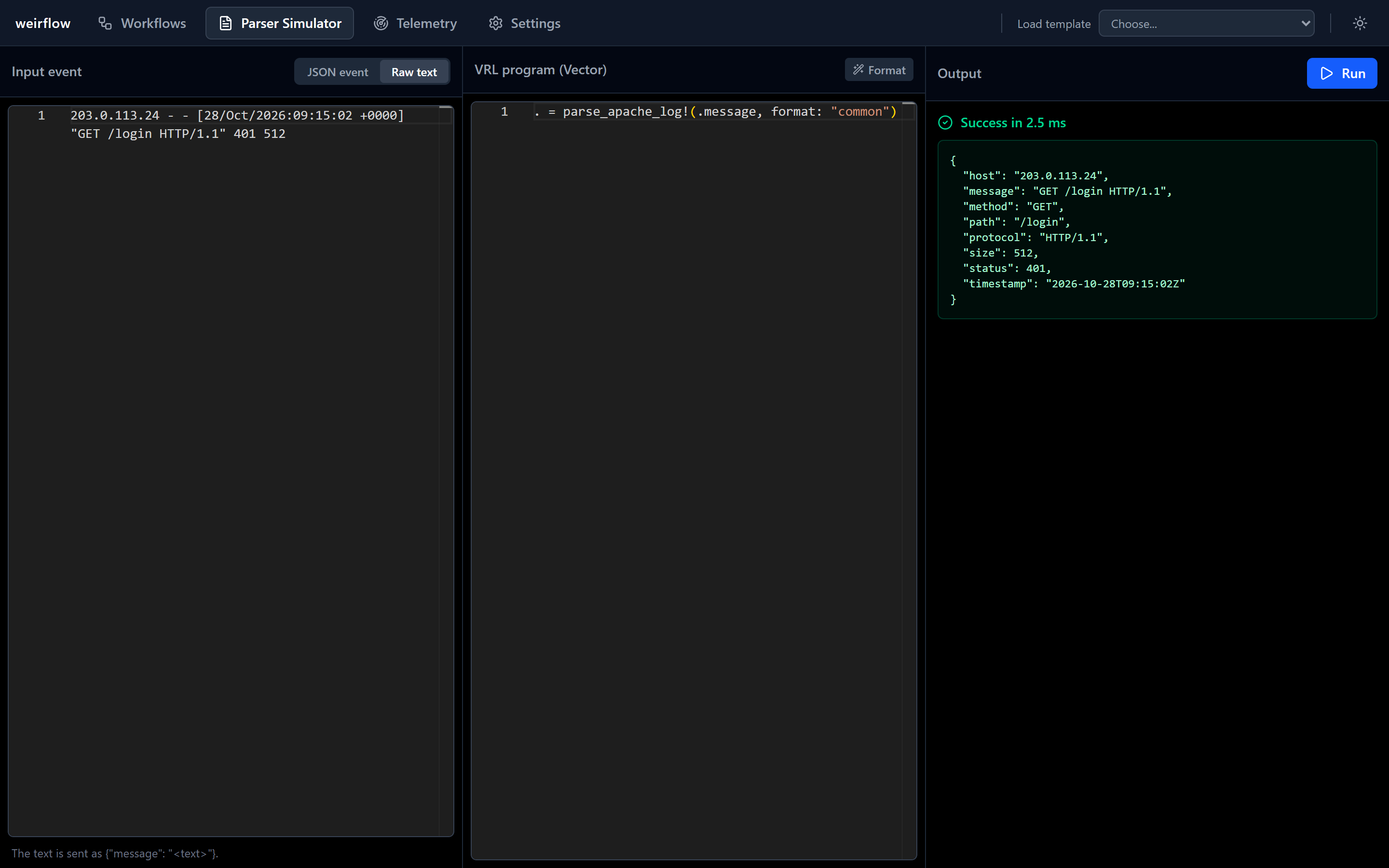
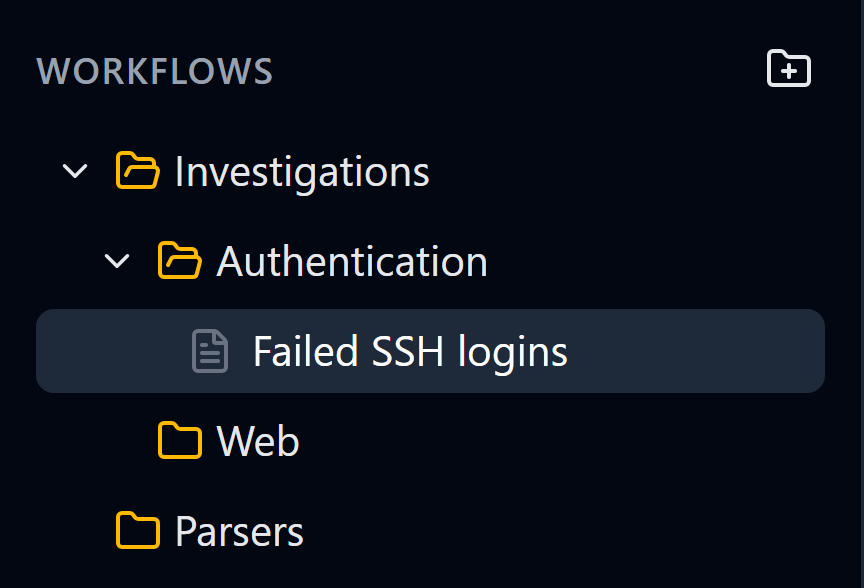
Logs in, searches out
Nothing is installed in Elasticsearch, OpenSearch or Kibana.
- Log sources reach the engine by webhook :8080, TCP or UDP.
- You use weirflow-ui in the browser; it calls /api/v1.
- The engine parses, queries, decides and loops, and keeps its data in SQLite.
- It searches Elasticsearch or OpenSearch over HTTP. Kibana stays as it is.
- Results go to your other tools by HTTP, TCP or UDP.
Every step is a node
A node takes the payload from the node before it and hands one on.
-
Triggers
Start a run by hand, or once per event from a webhook, TCP or UDP. A raw syslog or CEF line arrives as a message field.
-
Query
Searches an index pattern in a time window you set and passes the raw response on.
-
Parsing
Runs a VRL program that replaces the payload. CSV or TSV lookup tables can enrich it.
-
Decision
Tests one condition and sends the payload down its true or false path.
-
Loop
Runs the parsing and decision nodes after it once for each item of an array.
-
Parallel and merge
Run branches at the same time, then join their results.
-
Threat intel
Looks an indicator up in a threat intelligence API.
-
AI analysis
Has a model read the alarm and the joined logs and write an analysis.
-
Telemetry
Assembles fragments into an investigation tree and lists the gaps where a search found nothing.
-
Outputs
Send the payload on by HTTP, TCP or UDP, or index it into Elasticsearch or OpenSearch.
Don't know VRL? Let AI handle it
Describe what you need in plain words. It is optional and stays off until you add a provider.
-
Write VRL parsers
Describe the log in the Parsing node or the Parser page. The program is tested on your sample first and inserted only if it passes.
-
Write queries
Describe the search in the Query node and get Elasticsearch or OpenSearch query DSL.
-
Answer questions
The help chat on every page explains the screens and nodes.
-
Triage alarms
The AI analysis node reads the alarm and the joined logs. Its model is a setting; its key is an engine environment variable.
-
Keep your key safe
The provider key stays on the UI server, never in the browser.
A cluster for every folder
Folders nest. Each can name its own cluster or inherit one.
-
This folder
Its own URL, with a user and password or an API key, stored encrypted and never sent back.
-
The nearest parent
The first folder above it that names a cluster.
-
The global setting
Set once on the Settings page, or by environment variable.
-
Nothing set
The Query node stops with no elasticsearch connection configured for this workflow
Yours to keep and change
One HTTP API
curl -s http://127.0.0.1:8081/api/v1/vrl/run \
  -H 'Content-Type: application/json' \
  -d '{"program": ".user = \"alice\"", "event": {"message": "hello"}}'

{"ok":true,"output":{"message":"hello","user":"alice"},"durationMs":1.8}
The UI uses this same API, described by an OpenAPI document.
0BSD
Use it, change it, sell it. No attribution required.
One SQLite file
Folders, workflows, cases and settings live in DATA_DIR/engine.db.
New node types
Adding one to the engine takes three changes.
Run it beside your cluster
git clone https://github.com/AmdaaRaijen/weirflow-engine.git
cd weirflow-engine
docker compose -f deploy/docker-compose.yml --profile ui up